
Guided walkthroughs
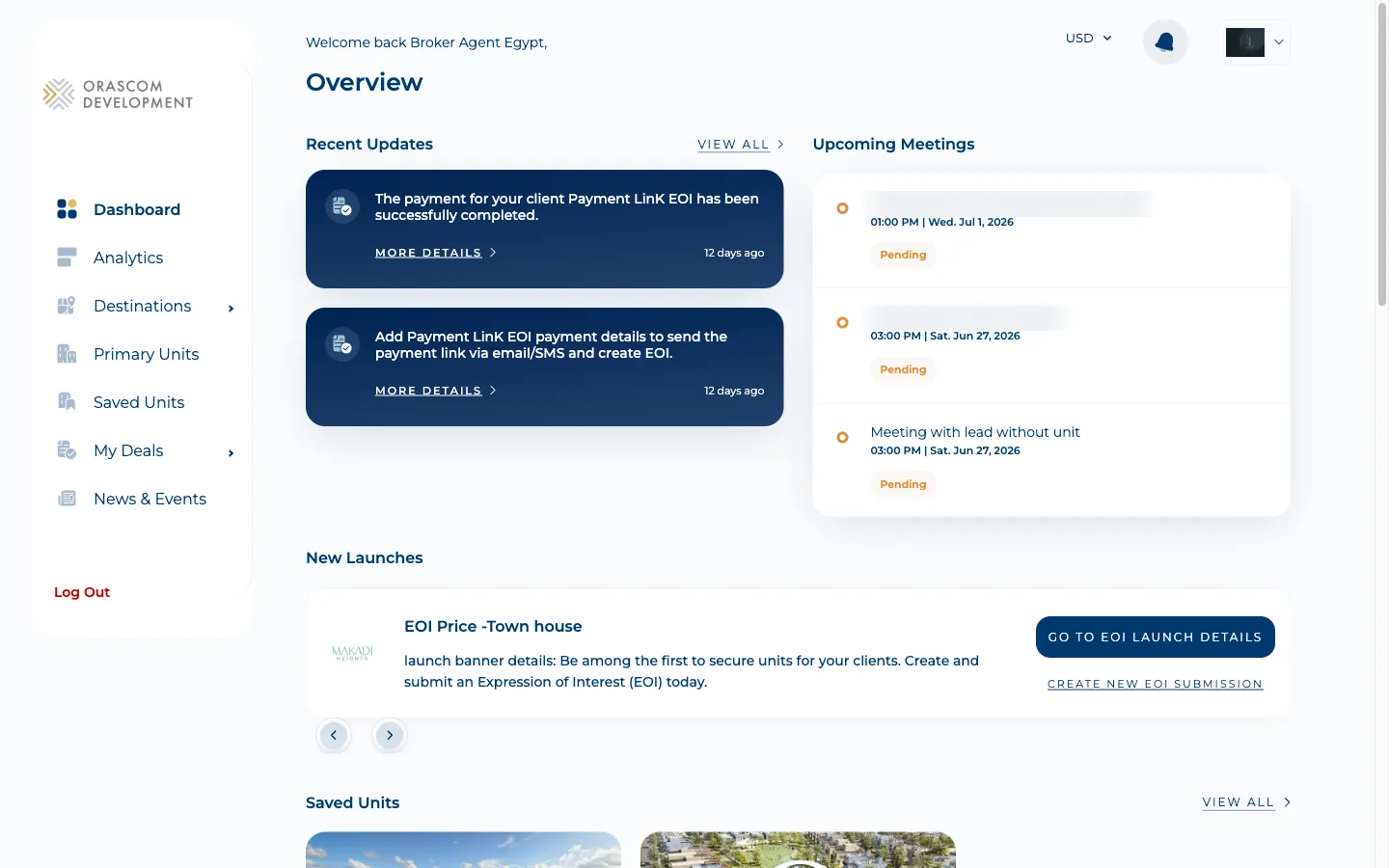
A guided walkthrough is an in-app product tour — a sequence of spotlight tooltips that
introduces a first-time agent to the portal. It exists in the broker and sales-man apps only
(never the shopper or analytics apps). The tour is built on react-joyride and is driven by a
shared component in @orascom/common-components.
Whether the tour runs is decided by two gates that work together:
- A client-side flag in the browser —
localStoragekeyWALKTHROUGH_LOCALSTORAGE_KEY(literal value'walkthroughStep',frontend/libs/common-components/src/lib/walkThrough/Constants.tsx:1). This flag doubles as a resume pointer: it stores the current step number ('1','2', …), not just a boolean. - A durable per-user status on the backend — the
is_walkthrough_doneboolean column. Once it istrue, the flag is never re-seeded on future logins, so the tour never shows again.
The whole trip, in one diagram
Section titled “The whole trip, in one diagram”sequenceDiagram actor U as Agent (Broker / Sales-Man) participant SPA as Agent SPA participant LS as localStorage participant JR as Joyride tour participant API as Backend (Laravel) participant DB as users / sales_team U->>SPA: First login SPA->>API: GET /user (userDataLoader) API-->>SPA: user.is_walkthrough_done = false SPA->>LS: setItem walkthroughStep = 1 Note over SPA,JR: tour runs only while the flag is truthy JR->>U: Step 1 Welcome (anchored to page body) loop each step JR->>LS: setItem walkthroughStep = stepIndex + 1 JR->>SPA: navigate to the step route end U->>JR: Finish or Skip JR->>LS: removeItem walkthroughStep JR->>SPA: set is_walkthrough_done true in user context JR->>API: PUT user/complete-walkthrough (fire-and-forget) API->>DB: is_walkthrough_done = true JR->>SPA: navigate home (replace) Note over API,DB: next login returns done = true so the flag is never re-seeded
How the gating actually works
Section titled “How the gating actually works”-
First login seeds the flag — both apps run a
userDataLoaderon the authenticated route. It fetchesGET /user, then: ifuser.is_walkthrough_doneis alreadytrueit removes the flag; otherwise, if no flag exists yet, it setsWALKTHROUGH_LOCALSTORAGE_KEYto'1'(brokerfrontend/apps/orascom-broker-app/src/api/user-data-loader.ts:24-28; sales-manfrontend/apps/orascom-sales-man-app/src/api/user-data-loader.ts:33-37). So the backend status is what decides whether a fresh browser gets seeded at all. -
The tour only runs while the flag is truthy — the shared
WalkthroughComponentinitialises itscurrentStepfromNumber(localStorage.getItem(WALKTHROUGH_LOCALSTORAGE_KEY)) || undefined(frontend/libs/common-components/src/lib/walkThrough/walkthrough-component/walkthrough-component.tsx:60-62) and gates the Joyride withrun={isJoyrideRunning && run && !!currentStep}(:144). No flag ⇒currentStepisundefined⇒ the tour does not start. It is mounted viacreatePortalfrom each app’smain-layout(broker.../layouts/main-layout/main-layout.tsx:87-97; sales-man:102-112). -
Each step persists the pointer and navigates — while
status === 'running', the callback writes the new step number back tolocalStorage(walkthrough-component.tsx:91-102) and navigates to that step’sdata.route(:104-120). Because the pointer is stored, a mid-tour reload resumes at the saved step rather than restarting. The step list lives in each app’sutils/walkthroughSteps.ts/utils/walkThroughSteps.ts(e.g. brokerbrokerSteps,frontend/apps/orascom-broker-app/src/utils/walkthroughSteps.ts:9), and each spotlight targets aWALKTHROUGH_TARGETS_IDSanchor (Constants.tsx:3). -
Direct-URL access to a tour page is blocked when the flag is unset — the dedicated walkthrough routes redirect home unless the flag is present. Broker: hitting
WALKTHROUGH_DEAL_DETAILSorWALKTHROUGH_UNITwithout the flag ⇒Navigateto the dashboard (frontend/apps/orascom-broker-app/src/components/protected-routes/protected-routes.tsx:76-82). Sales-man:WALKTHROUGH_UNITorWALKTHROUGH_PIPELINEwithout the flag ⇒Navigateto the overview (frontend/apps/orascom-sales-man-app/src/components/protected-routes/protected-routes.tsx:104-112). You cannot deep-link into a tour page. -
Finish or Skip clears the flag and writes the backend status — on
status === 'finished'or'skipped'the callback runs, in order:removeItem(WALKTHROUGH_LOCALSTORAGE_KEY)→updateUserStateOnFinish?.()(setsis_walkthrough_done: trueon the in-memory user context) →updateWalkthroughStatus?.()(the backend call) →navigate('/', { replace: true })(walkthrough-component.tsx:72-78). The backend call is not awaited — it is fire-and-forget (see Gotchas). -
The backend call marks the user done —
updateWalkthroughStatus()issuesPUT /user/complete-walkthrough(endpointupdateUserWalkthroughStatus, brokerfrontend/apps/orascom-broker-app/src/api/endpoints.ts:219-222; sales-manfrontend/apps/orascom-sales-man-app/src/api/endpoints.ts:121-124; broker callfrontend/apps/orascom-broker-app/src/api/user.ts:42-47). Server-side the route sits inside theauth:sanctumgroup (backend/routes/api.php:26-29, route at:28) and hitsUserController@completeWalkThrough, which flips the column only if it is still false and returnsrespondSuccess()(backend/app/Http/Controllers/Api/Auth/UserController.php:52-61). There is no dedicated Action — the one-line update is inline in the thin controller. The column isis_walkthrough_done(boolean, defaultfalse), added by two migrations:usersfor brokers (backend/database/migrations/2025_03_03_113729_add_column_is_walkthrough_done_to_users_table.php:14) andsales_teamfor sales-men (backend/database/migrations/2025_03_03_114302_add_column_is_walkthrough_done_to_sales_team_table.php:14). It is$fillableon both models (backend/app/Models/User.php:39,backend/app/Models/SalesMan.php:25) and returned byUserResource(backend/app/Http/Resources/UserResource.php:30) soGET /usercan report it back on the next login.
The walkthrough routes
Section titled “The walkthrough routes”Each dedicated tour page renders hardcoded static dummy data (staticUnit / staticLead /
staticPipeline) rather than fetching, so it loads instantly and is safe to render without live
records. The ids embedded in the paths (1/0/3, pipelines/1) are placeholders, not real records.
| App | Route (ROUTES_MAPPER) |
Component | Renders |
|---|---|---|---|
| Broker | /unit-details/walkthrough (WALKTHROUGH_UNIT, routesMapper.ts:52) |
pages/walkthroughUnit/WalkthroughUnit.tsx (route routes.tsx:161) |
Static unit-details layout — gallery, info, floor plan, payment plan, specs |
| Broker | /deal-details/walkthrough/1/0/3 (WALKTHROUGH_DEAL_DETAILS, routesMapper.ts:51) |
pages/walkthroughDealDetails/WalkthroughDealDetails.tsx (route routes.tsx:283) |
Static deal-details with breadcrumbs, meetings, invoice, lead-info card |
| Sales-Man | /unit-details/walkthrough (WALKTHROUGH_UNIT, routesMapper.ts:43) |
pages/walkthroughUnit/WalkthroughUnit.tsx (route routes.tsx:267) |
Static unit-details layout (no payment-plan block) |
| Sales-Man | /leads/walkthrough/pipelines/1 (WALKTHROUGH_PIPELINE, routesMapper.ts:44) |
pages/walkthroughPipeline/WalkthroughPipeline.tsx (route routes.tsx:275) |
Static pipeline-details via PipelineDetailsStatic |
The rest of the tour steps point at real pages (dashboard, destination details, primary units,
new-deal, analytics) — the dedicated static pages above exist only for the steps where showing a live,
fetched record would be slow or require data the new agent does not have yet. Those tour-driving routes
plus NEW_DEAL are also listed in each layout’s WALKTHROUGH_ROUTES array (broker
main-layout.tsx:24-28; sales-man :30-34) so the tour is allowed to run over them without waiting for
their queries to settle.