
Broker submits a lead
This is the reference flow for onboarding. If you understand this one end-to-end, you understand
how every write-flow in the platform is shaped: React SPA → Laravel API → CRM middleware →
Microsoft Dynamics 365. Everything here is verified against the code as of 2026-07-05 (backend @ 8434e47,
middleware @ 10a41eb).
What the broker sees
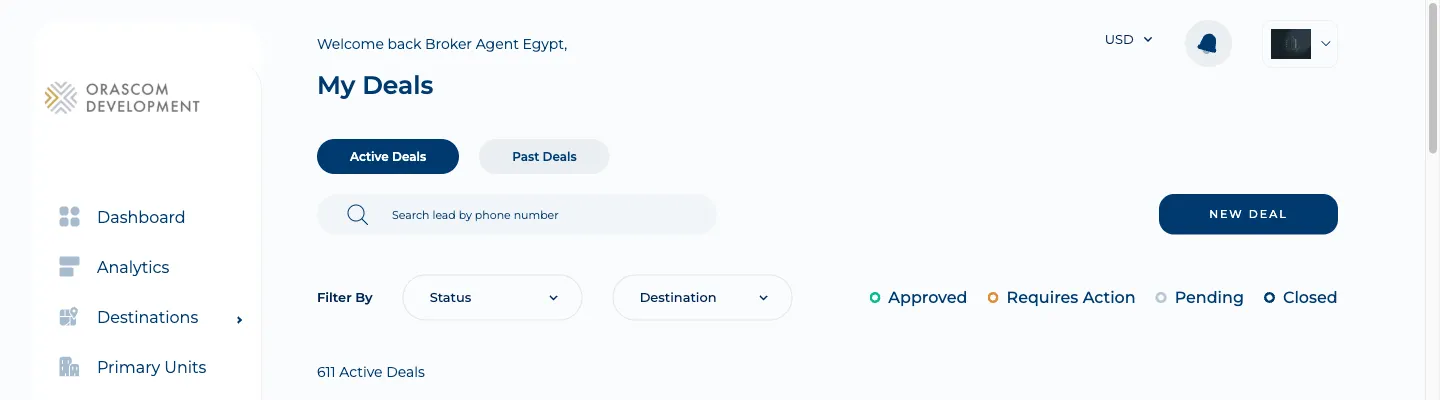
Section titled “What the broker sees”The broker logs into the portal (the /partners path — see Environments; email + password), opens
My Deals, clicks New Deal, fills the form, and hits Create Deal.
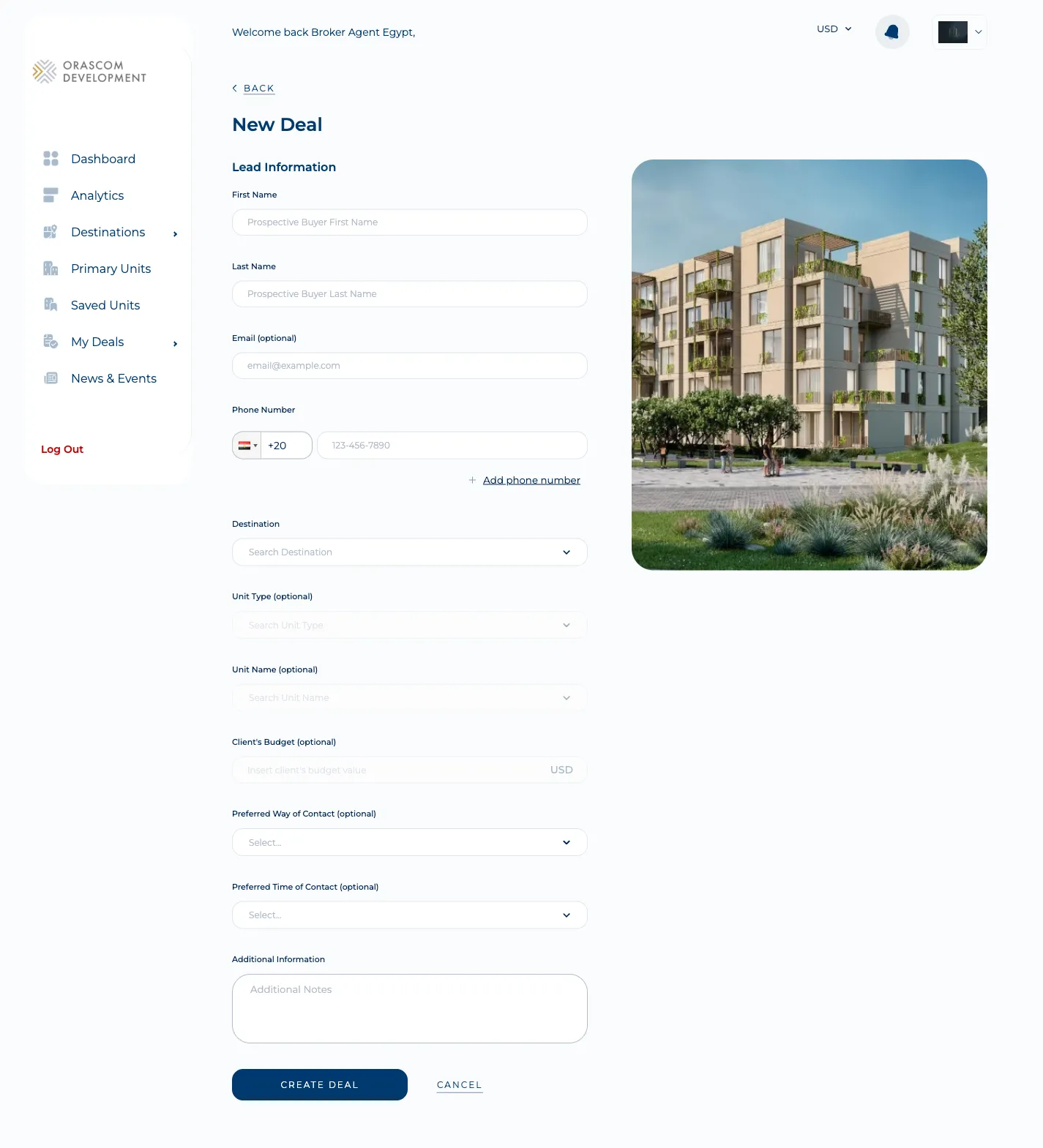
The New Deal form is the entire client-side contract — every field here maps to one field in the API request:
The whole trip, in one diagram
Section titled “The whole trip, in one diagram”sequenceDiagram
actor B as Broker
participant SPA as Broker SPA (React)
participant API as Backend (Laravel)
participant MW as CRM middleware (Laravel)
participant LA as Azure Logic App
participant D365 as Dynamics 365 (per country)
B->>SPA: Fill "New Deal" form, Create Deal
SPA->>API: POST /api/broker/leads (Bearer, JSON)
Note over API: auth:sanctum + ability:access-broker-api<br/>SubmitLeadRequest validation
API->>MW: GET /leads/count (leads-limit gate)
MW-->>API: count
Note over API: if over limit → 422, stop (never reaches CRM)
API->>MW: POST /api/portals/brokers/{id}/leads<br/>header country: egypt (OAuth client_credentials)
Note over MW: country header → id (eg=1/om=2/mne=3)<br/>map unified → Dynamics 'lead' fields
MW->>LA: POST {LEAD_CRM_SUBMIT_NEW_LEAD_URL} { "Lead": {...} }
LA->>D365: create lead in the country's org
D365-->>LA: leadid, customerid
LA-->>MW: 200 { Lead: { leadid, customerid } }
MW-->>API: 200 { data: { lead_source_id, customer_source_id } }
Note over API: on exact 200 → write a UserRequest audit row
API-->>SPA: 200 { data: {...}, message: "Success!" }
SPA->>B: toast "Deal Created Successfully" → back to My DealsStep by step (with the exact code)
Section titled “Step by step (with the exact code)”-
The form builds a snake_case payload.
new-deal.tsx→submitHandlerassembles aNewDealFormInterfaceand callsDealUtils.createLead()→Network.fetchtoPOST {NX__BROKER_API_ENDPOINT}{NX__BROKER_ENDPOINT_PREFIX}/leads(i.e.…/api/broker/leads). The broker’s bearer token (localStorage['broker_access_token']) is attached automatically byNetwork.getHeaders. Two fields are hardcoded by the form:customer_inquiry = '2'(Unit Purchasing) andportal_page = '1'(Unit Page). -
The backend authenticates and validates. Route
routes/api/broker.php:150runsuser-provider:brokers→auth:sanctum→ability:access-broker-api, thenSubmitLeadRequestvalidates 15 fields before the controller body runs. TheUserProvidermiddleware is what makesAuth::user()return aBroker. -
A leads-limit gate runs first.
LeadController@submitLeadcallsGetLeadsCount— if the broker’s brokerage has a per-destination monthly limit and it’s reached, the request returns HTTP 422 and never touches the CRM. (This gate was added May 2026, commit79e22614/ORASCOM-3526— a stack from before then won’t have it.) -
The backend forwards to the CRM middleware.
SubmitNewLeadresolves the broker’s CRMbroker_source_idfor that country, swapsdestination_slug → destination_source_id, strips spaces from the phone, and POSTs to{CRMS_MIDDLEWARE_API_URL}/brokers/{brokerSourceId}/leadswith headercountry: egypt, authenticated as an OAuth2client_credentialsservice client. -
The middleware maps to Dynamics and calls a Logic App. It converts the
countryheader to a numeric id (egypt=1, oman=2, montenegro=3), maps the unified fields to Dynamicsleadfield names viaSubmitNewLeadRequestMapper(e.g.first_name → firstname,phone → fullmobilenumber,broker_source_id → salesagentid), wraps it as{ "Lead": {…} }, and POSTs to a single Azure Logic App (LEAD_CRM_SUBMIT_NEW_LEAD_URL). The Logic App fans the lead out to the correct Dynamics org based on thatcountryfield. -
Dynamics creates the lead; the ids flow back. The Logic App returns
{ Lead: { leadid, customerid } }→ the middleware returns{ data: { lead_source_id, customer_source_id } }→ the backend, on an exact HTTP 200, writes oneuser_requestsaudit row (see below) and returns{ data: {…}, message: "Success!" }to the SPA, which toasts success and returns to My Deals.
The one thing that surprises everyone: writes and reads take different paths
Section titled “The one thing that surprises everyone: writes and reads take different paths”What actually gets stored locally
Section titled “What actually gets stored locally”Almost nothing. The authoritative lead lives in Dynamics. On a successful submit the backend
writes exactly one user_requests audit row (user_id = broker, user_type = Broker,
request_type = lead, a date key) plus one destination_user_request pivot row. The lead’s
PII — name, phone, email, budget — is NOT stored locally (those keys aren’t $fillable, so
UserRequest::create() silently drops them). This matters for support: to see a lead’s details you
query the CRM (via a read endpoint), not the portal database.
Response envelope (know this shape)
Section titled “Response envelope (know this shape)”The backend double-wraps: FormatApiResponse adds an outer { data, message }, and the response
mapper adds an inner envelope. A successful submit looks like:
{ "data": { "message": "...", "data": { "lead_source_id": "..." }, "errors": null }, "message": "Success!"}message is "Success!" when the HTTP status starts with 2, else "Failure!". The full field
list, every status code, and the Dynamics field map are in the Reference page.