
The Sales-Man app
The Sales-Man app (apps/orascom-sales-man-app) is the internal CRM portal for Orascom’s own
sales staff. Its spine is a classic sales pipeline — leads → pipelines → customers → sales — with
units inventory, EOI submission, Taskeen (handover), and analytics bolted on. It brands itself the
“Internal Sales Portal” and, unlike the customer-facing shopper app, every screen is behind
Microsoft SSO.
The app at a glance
Section titled “The app at a glance”- Entry:
src/main.tsxnestsHelmetProvider→I18nextProvider→QueryClientProvider(React Query) →ProSidebarProvider+ToastContainer.src/app/app.tsxwrapsUserContext→CountrySelectedContext→CompareUnits→Currencyaround the router (app.tsx:22-38). - Router:
basename = process.env['NX_SALES_MAN_PATH'] ?? '/'(routes.tsx:297). - 35 routes / screens (1 auth + 34 main).
- API: one
ENDPOINTSmap (src/api/endpoints.ts), ~112 keys, prefixed withNX__SALESMAN_ENDPOINT_PREFIXover base hostNX__SALESMAN_API_ENDPOINT. A few are deliberately prefix-less (/user, cross-portal/shopper/*lookups, currency). - A top-bar “Currently Selling in” country + currency selector scopes the whole app to one
country org at a time (
CountrySelectedContext).
Sign-in — Microsoft SSO only
Section titled “Sign-in — Microsoft SSO only”There is no password or OTP form. /login renders a single anchor to {baseUrl}/login/microsoft
(where baseUrl = NX__SALESMAN_API_ENDPOINT with a trailing /api stripped, login.tsx:12,47-53).
The backend runs the Microsoft OAuth dance and redirects back with ?token=; ProtectedRoutes /
userDataLoader detect the param, call storeTokenDetails(token) →
localStorage[NX_SALESMAN_ACCESS_TOKEN_KEY], strip the param, and navigate to /.

Overview
Section titled “Overview”The landing dashboard: recent updates (payment/EOI notifications), upcoming meetings, new launches,
and saved-unit / new-property shortcuts. pages/overview/overview.tsx.
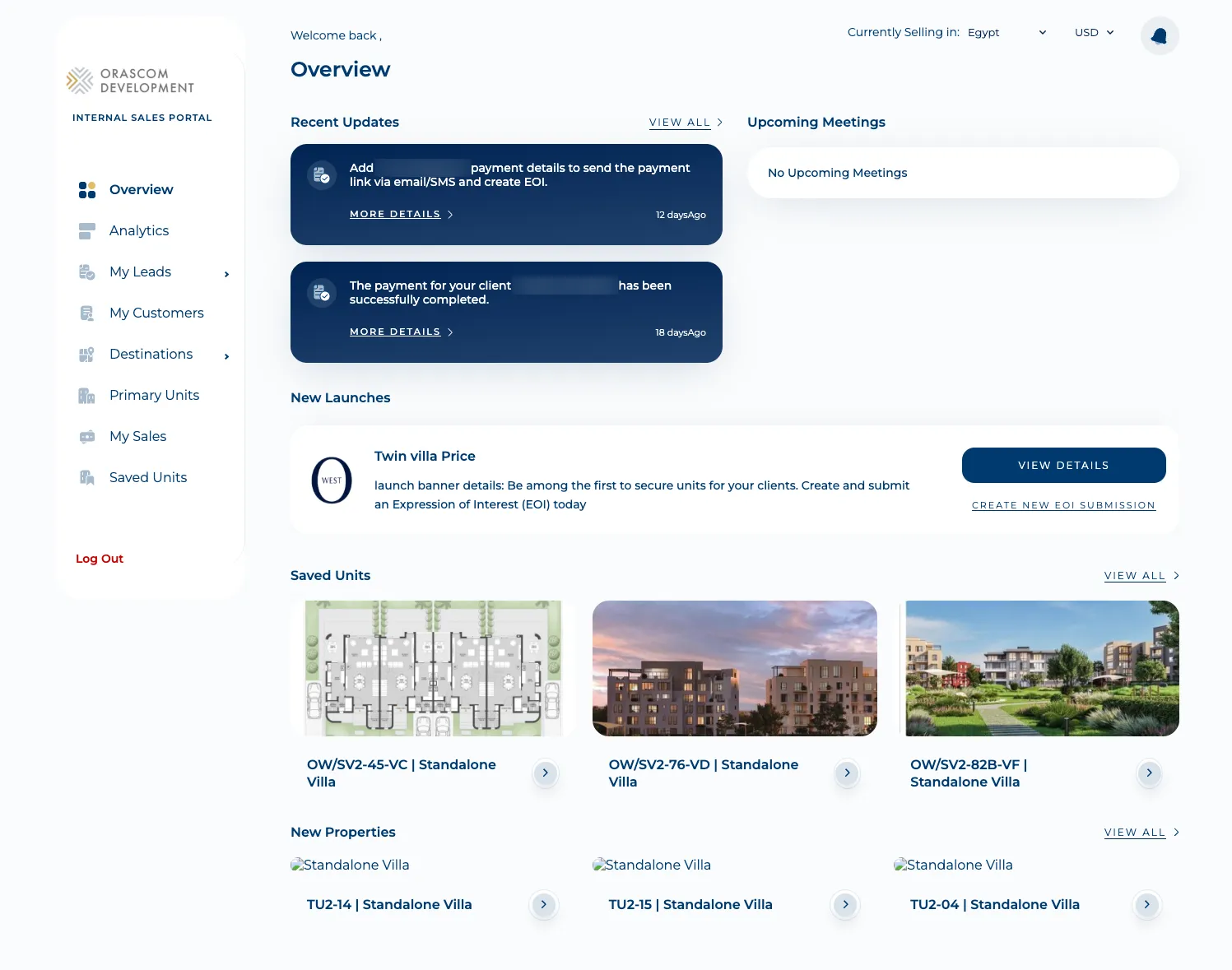
The left sidebar is the map to the rest of the app: Overview · Analytics · My Leads · Sales Deals · EOIs · My Customers · Destinations · Primary Units · My Sales · Saved Units.
The CRM spine: lead → customer → sale
Section titled “The CRM spine: lead → customer → sale”This is the core workflow and the reason the app exists. It moves a prospect left-to-right across
these screens, and almost every step is :countryId-scoped.
-
Capture a lead.
/new-lead(pages/new-deal) creates a lead viacreateLead(POST /leads), with a large set of lookup dropdowns (sources, sub-sources, ambassadors, brokers, events, exhibitions, walk-in offices, desired CRM units…). -
Work the pipeline.
/deals(“My Deals”) lists leads;/leads/:dealId/pipelines/:countryId(pages/deal-details) is the pipeline board — discovery pipelines (createLeadDiscoveryPipeline), scheduled meetings (createMeeting→/pipelines/{id}/meetings), feedback, and unit-type interest. A lead can be disqualified (/leads/:leadId/disqualify-lead/:countryId) or marked lost (/leads/:leadId/lost-lead/:countryId).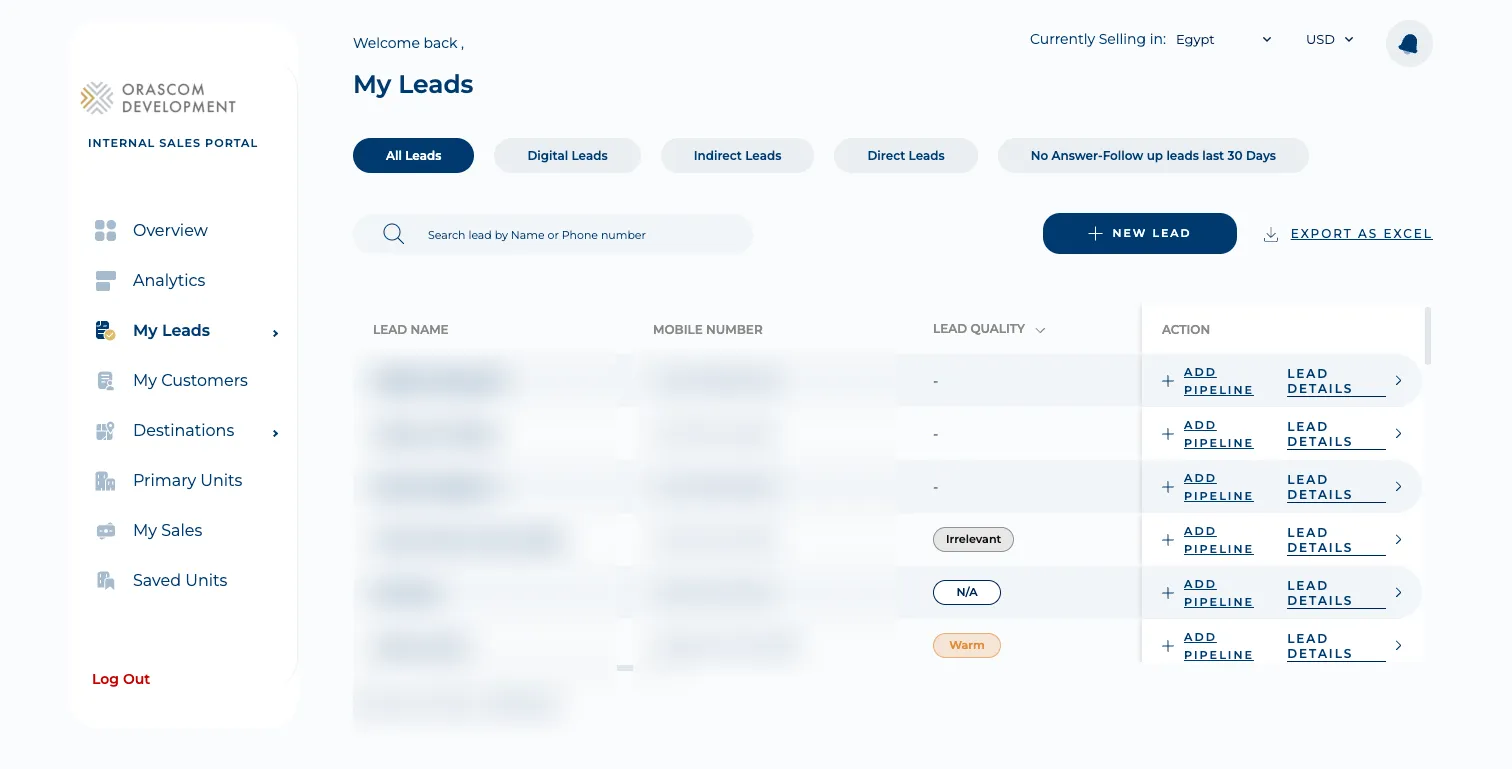
-
Qualify into a customer.
/qualify-customer/:countryId/:leadId(qualifyCustomer→POST /customers) promotes a qualified lead into a customer record. -
Manage customers.
/customers(“My Customers”) lists them with contact details;/customers/:customerId/pipelines/:countryIdis the customer pipeline. Nationalities / cities / countries / occupations lookups come from prefix-less cross-portal/shopper/sales-*endpoints.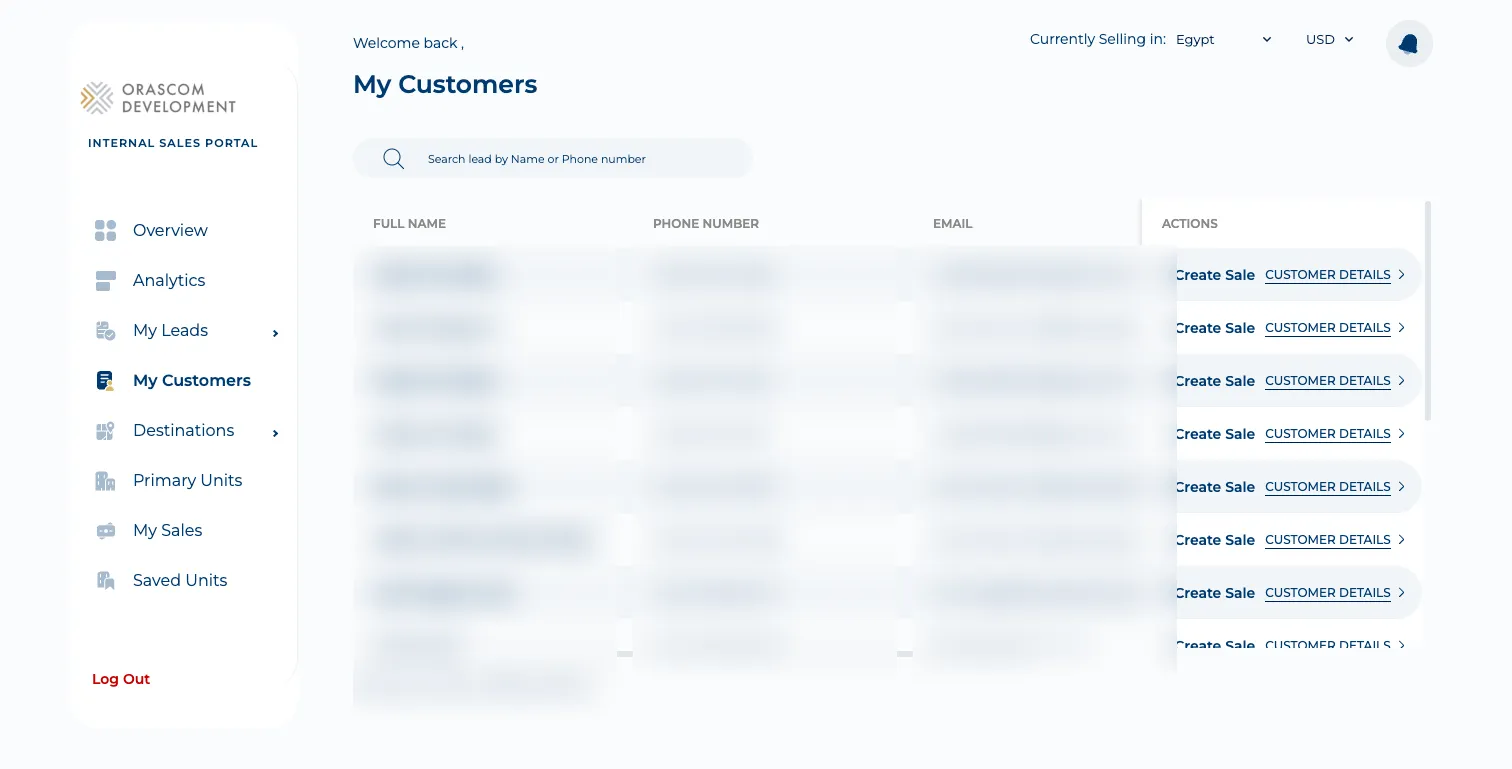
-
Close a sale.
/customers/:customerId/pipelines/:pipelineId/:countryId/create-sale(pages/create-sale) creates a sale (createSale→POST /units/{unit}/sales) — choosing the unit, payment plan, and reservation./sales(“My Sales”) lists them by status (Pending / Reserved / Contracted), each with unit, customer, reservation date, and unit vs selling price.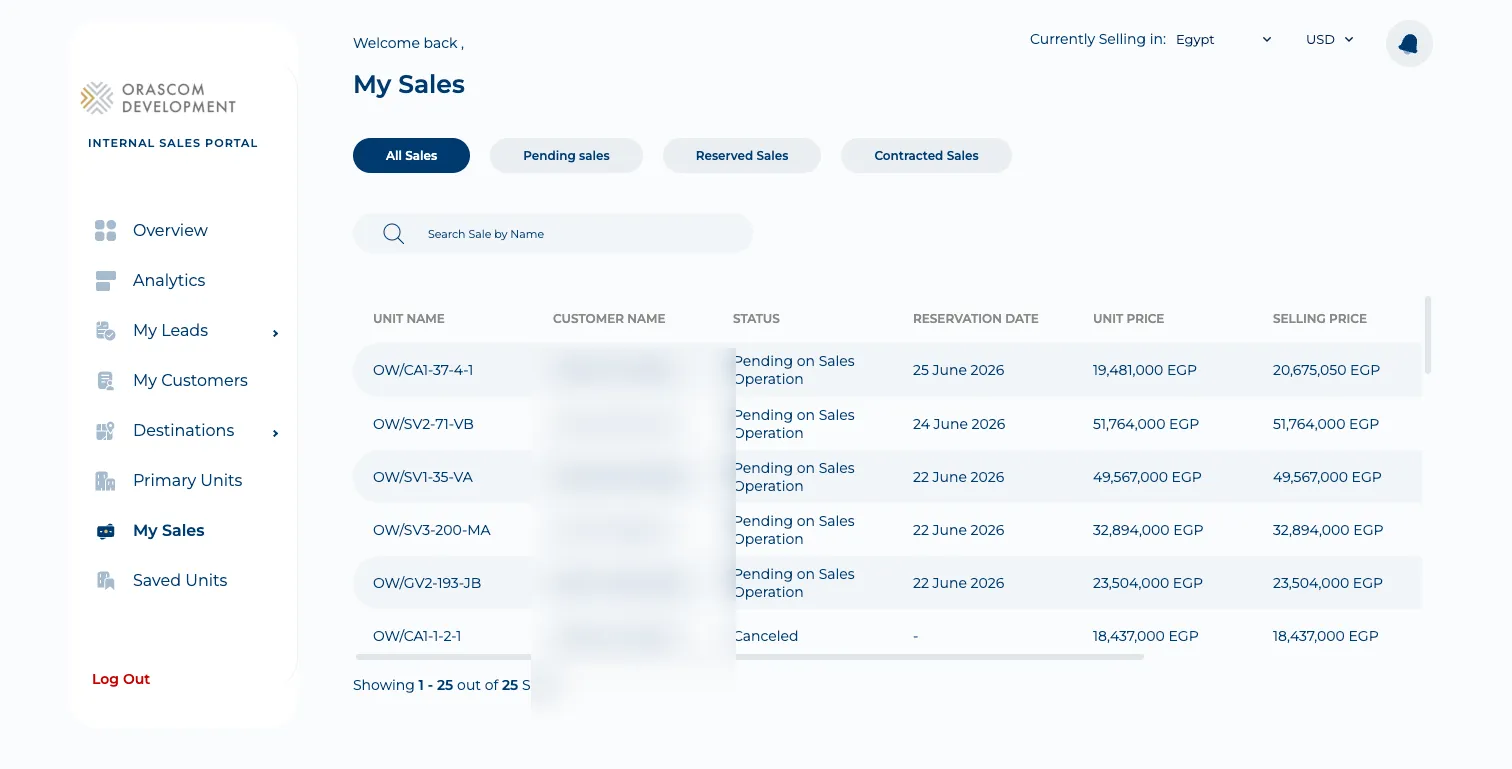
Units inventory
Section titled “Units inventory”Agents browse and share the sellable inventory across several screens, all driven by api/unit.ts.
-
Primary Units (
/primary-units) — the new-units inventory grid with filters.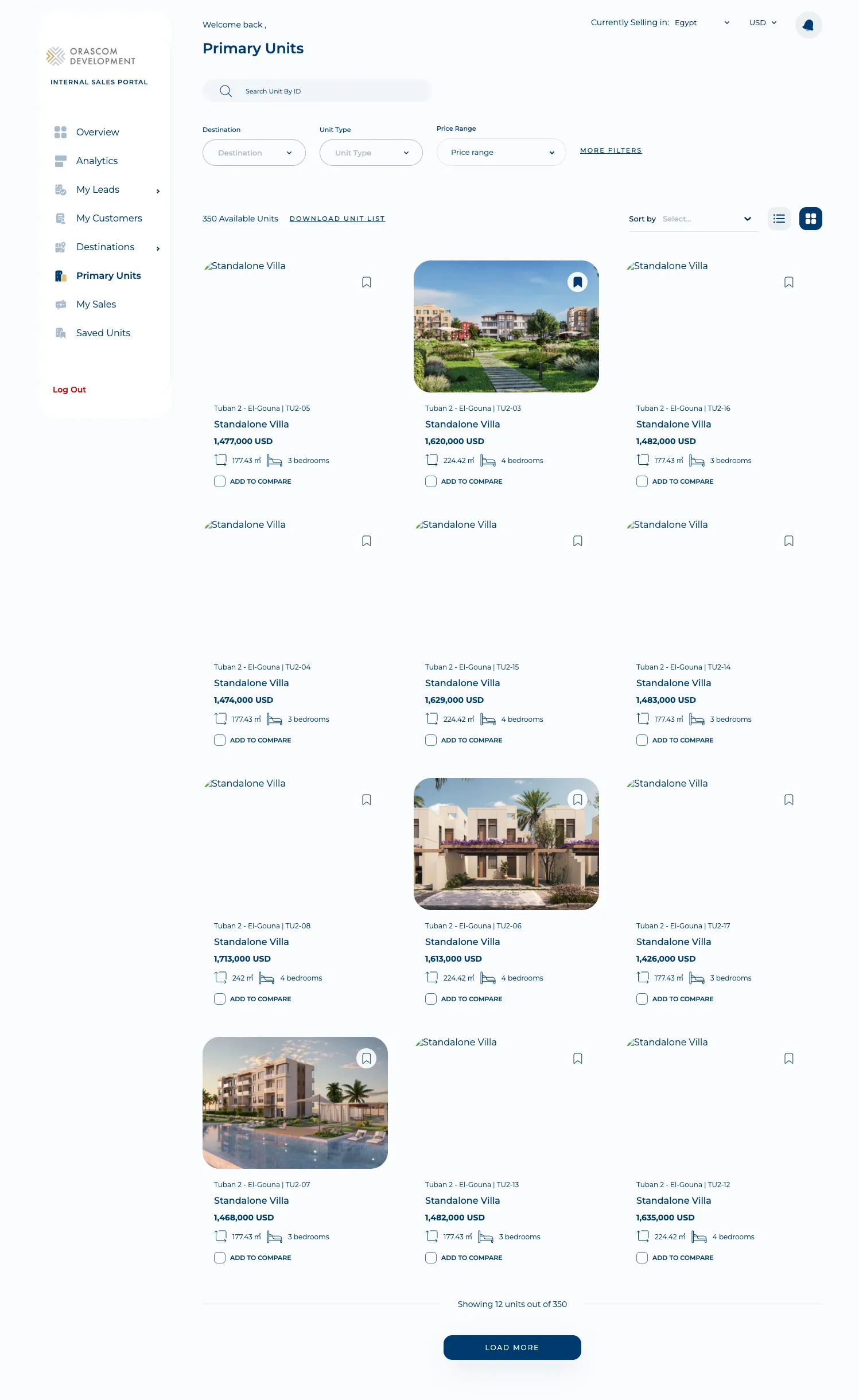
-
New Properties (
/new-properties) — new launches / properties browsing.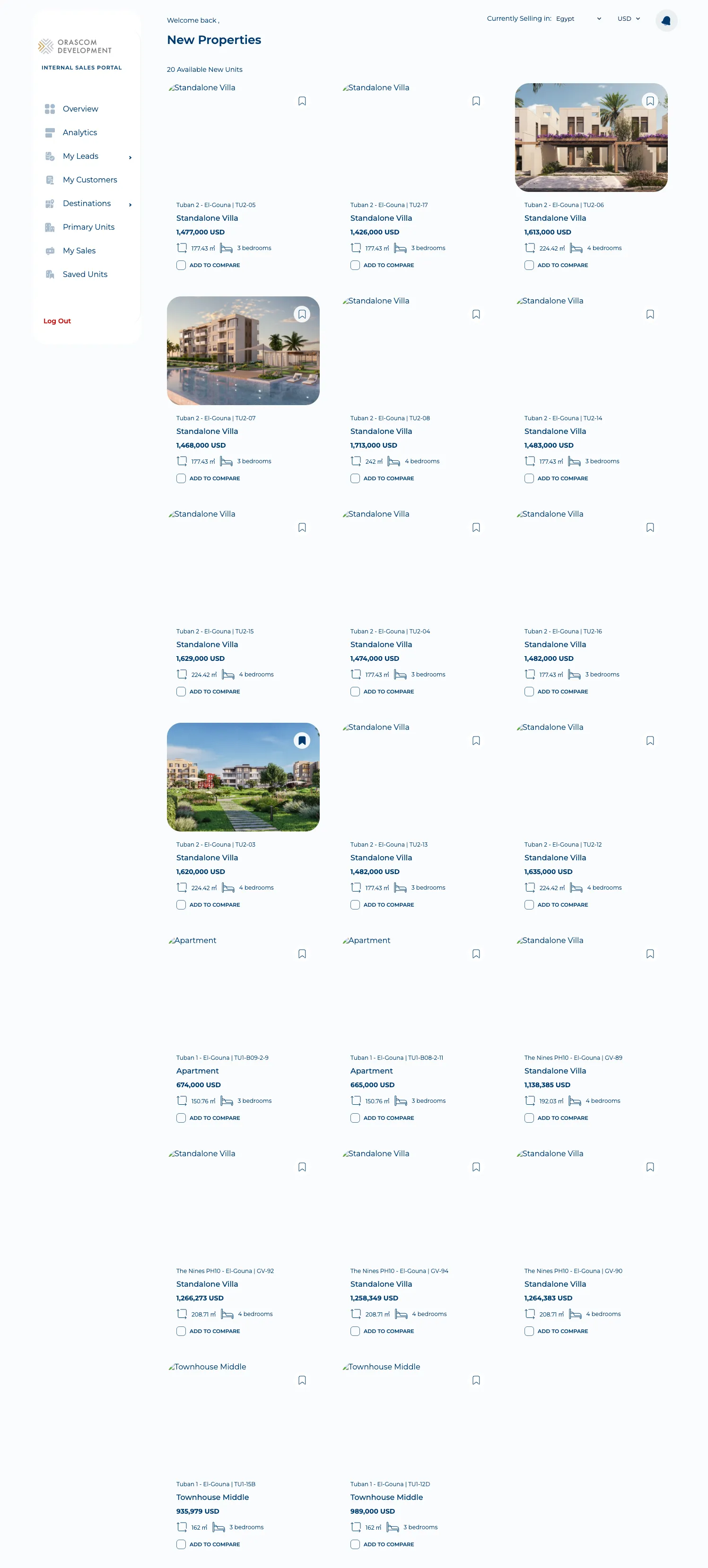
-
Unit details (
/unit-details/:unitId) — payment terms, sales-offer generation (async:generateSalesOfferAsync→ pollcheckSalesOfferStatus), and the entry points to start a deal or submit a reservation.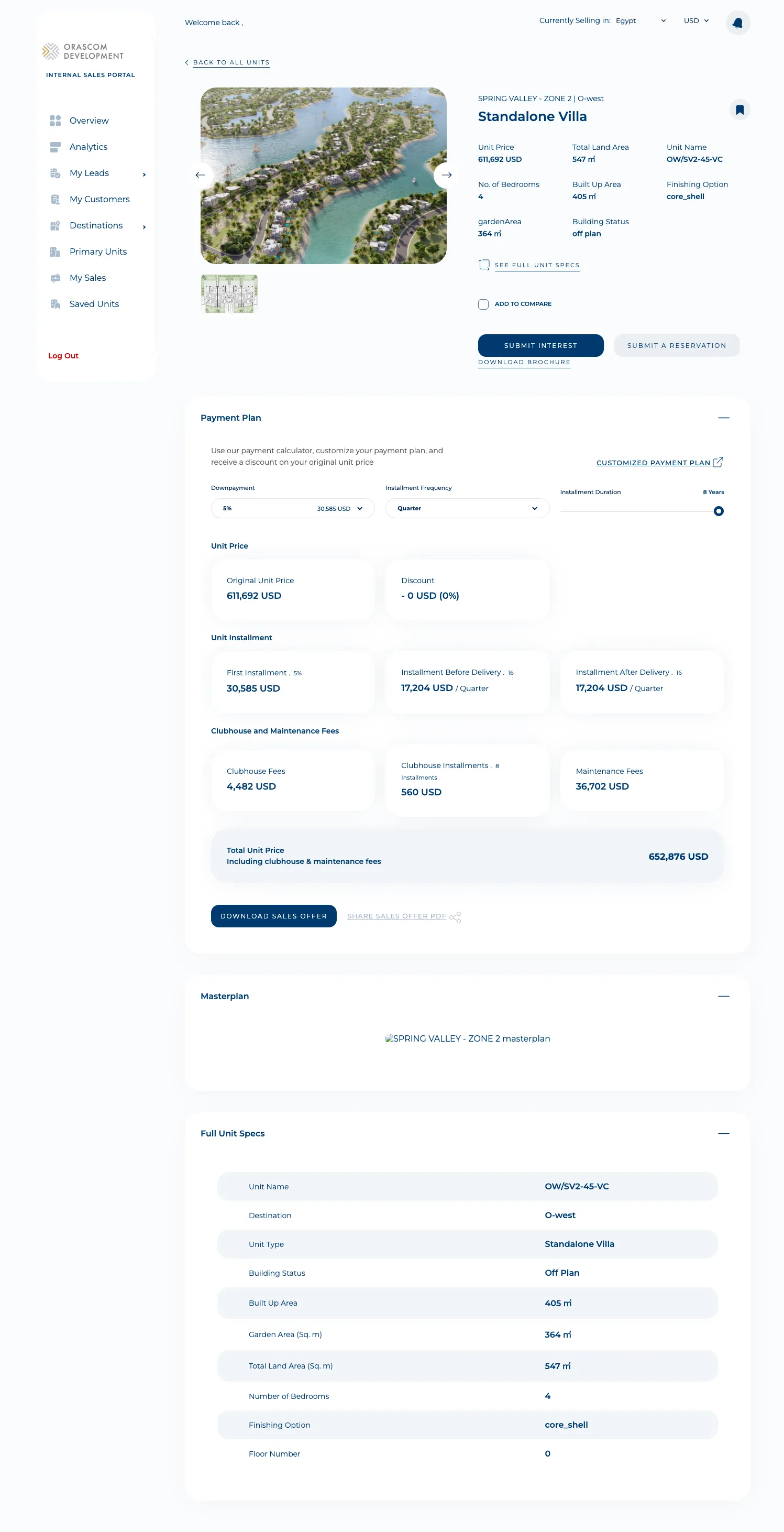
-
Saved Units (
/saved-units) — the agent’s favorited units (/user/saved-units).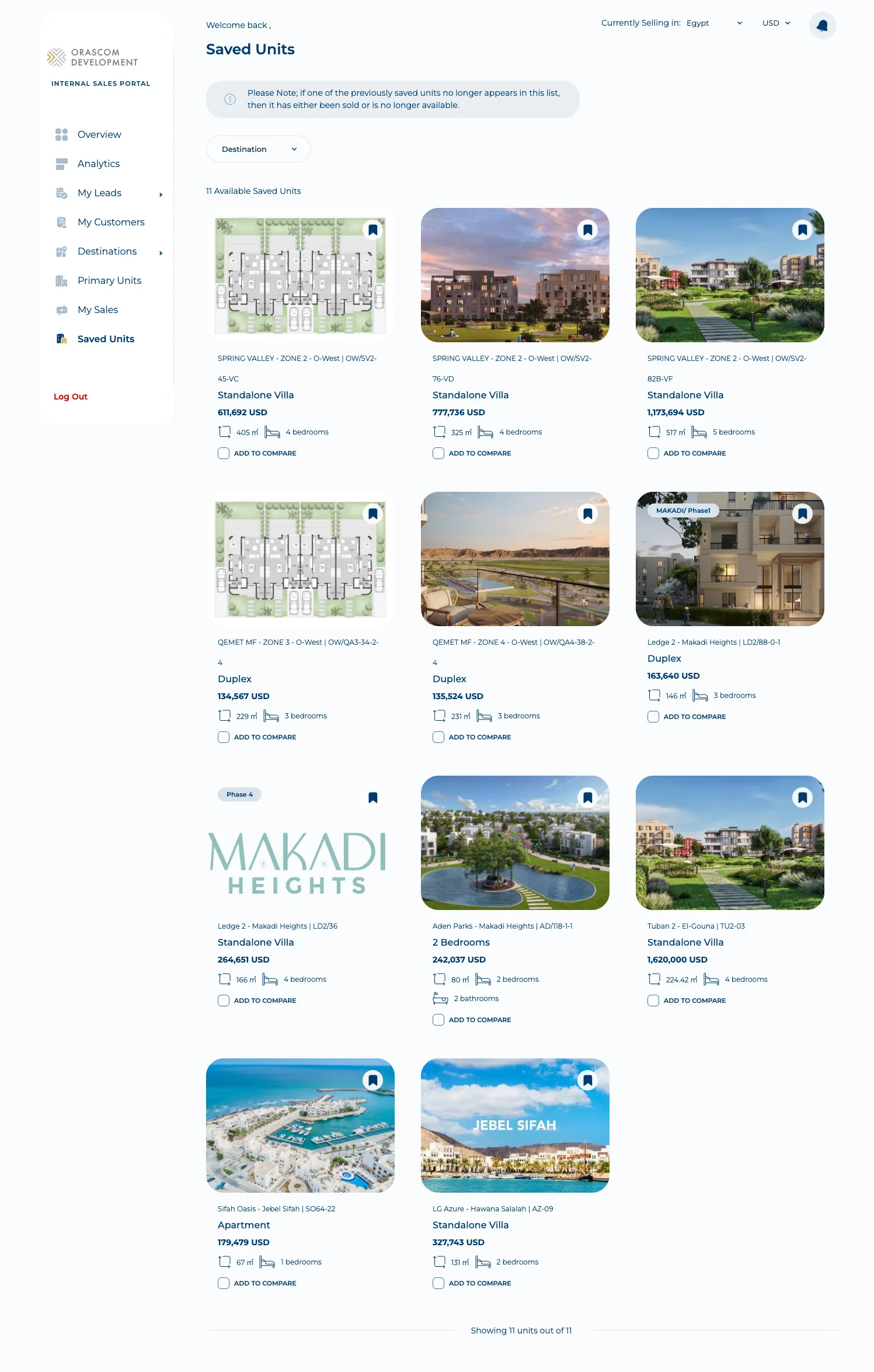
Also here: Resale units (/resale-units), Compare (/compare-properties,
/units/compare), and per-Destination pages (/destination/:destinationSlug) with locations,
facilities, projects, FAQs, and downloadable marketing materials.
EOI & Taskeen
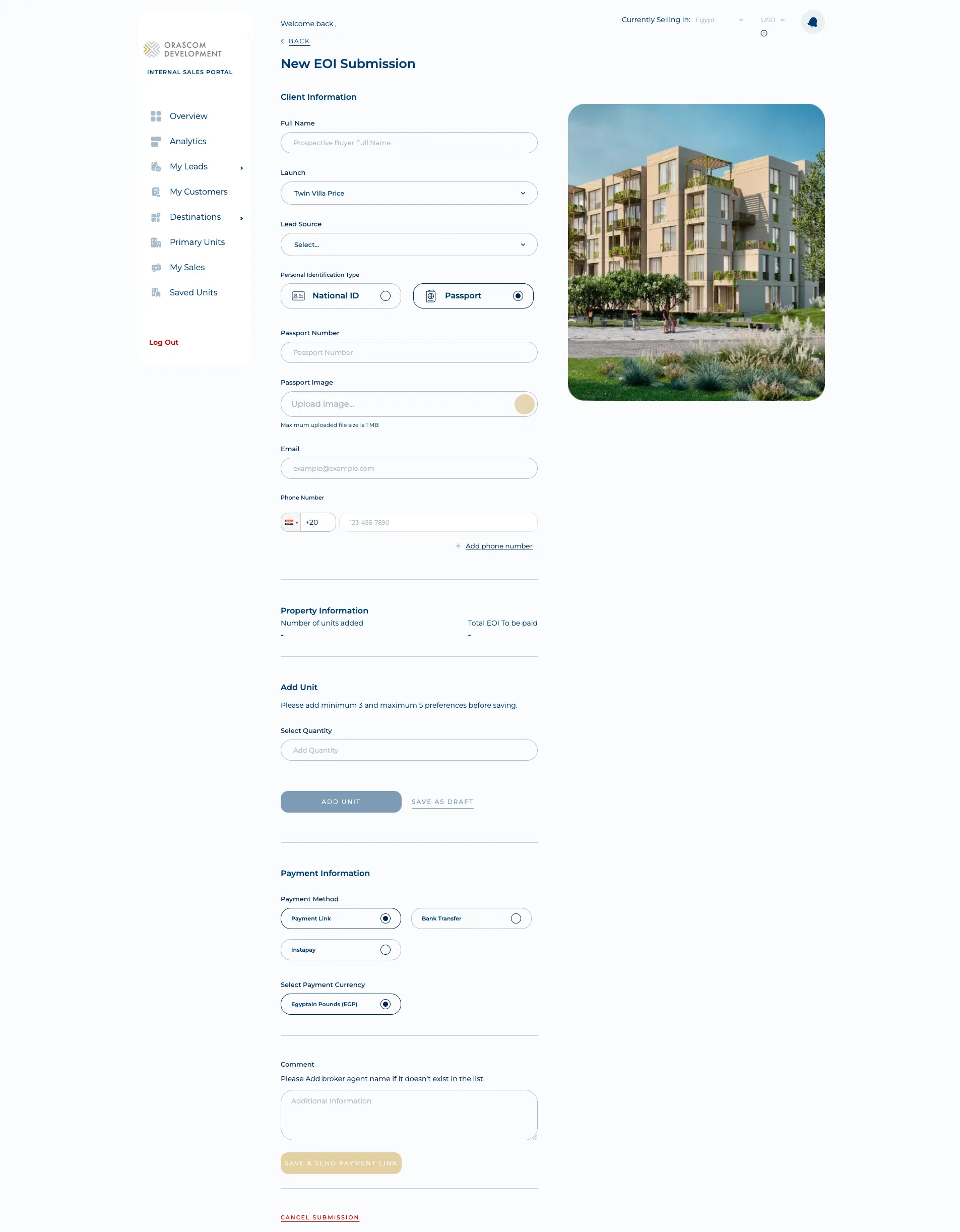
Section titled “EOI & Taskeen”The app also drives EOI (Expression of Interest) submission against launches — create
(/eoi/create/:launchSlug), the listing (/expression-of-interest), and single-EOI details
(/expression-of-interest-details/:launchId/:eoiId) with attachments, a resend-payment-link action,
and cancel. The full agent-side EOI flow is documented in
Submitting an EOI. Taskeen (handover / occupancy) is surfaced as a
tab inside the EOI listing page (pages/eoi-listing), with its own listing + CSV export.
The create-EOI form is what the agent fills on the client’s behalf — client info + ID type, the launch, unit preferences (min 3, max 5), and the payment method (payment link / bank transfer / instapay):
Analytics
Section titled “Analytics”A sales & meetings analytics dashboard (/analytics, pages/analytics): revenue insights
(sales value / total sales / sales-vs-target), deal-source and unit-category breakdowns,
year-over-year revenue, an agents ranking leaderboard, and meetings insights (total meetings,
meetings with no feedback).
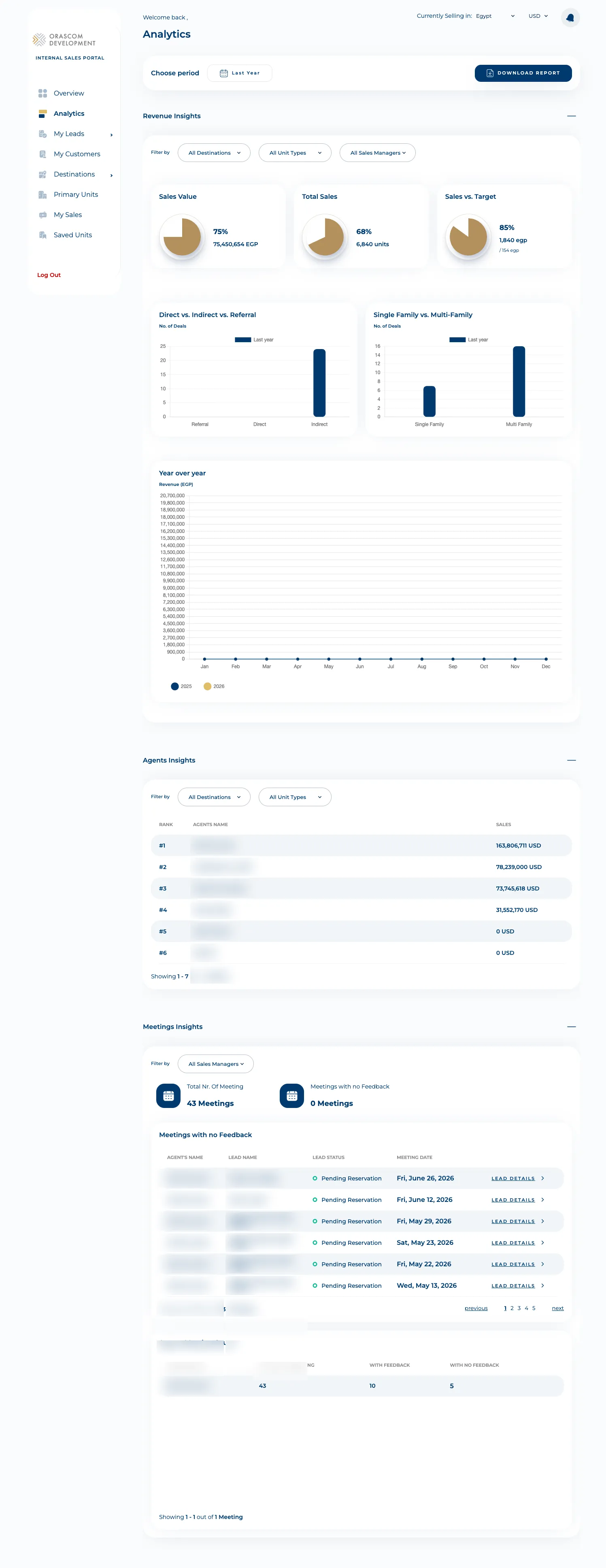
This is distinct from the standalone Shopper-Analytics app: this one is an
agent’s own sales/meetings view (/analytics/sales/*, /agents-ranking, meetings endpoints), scoped
to the selected country.
Notifications
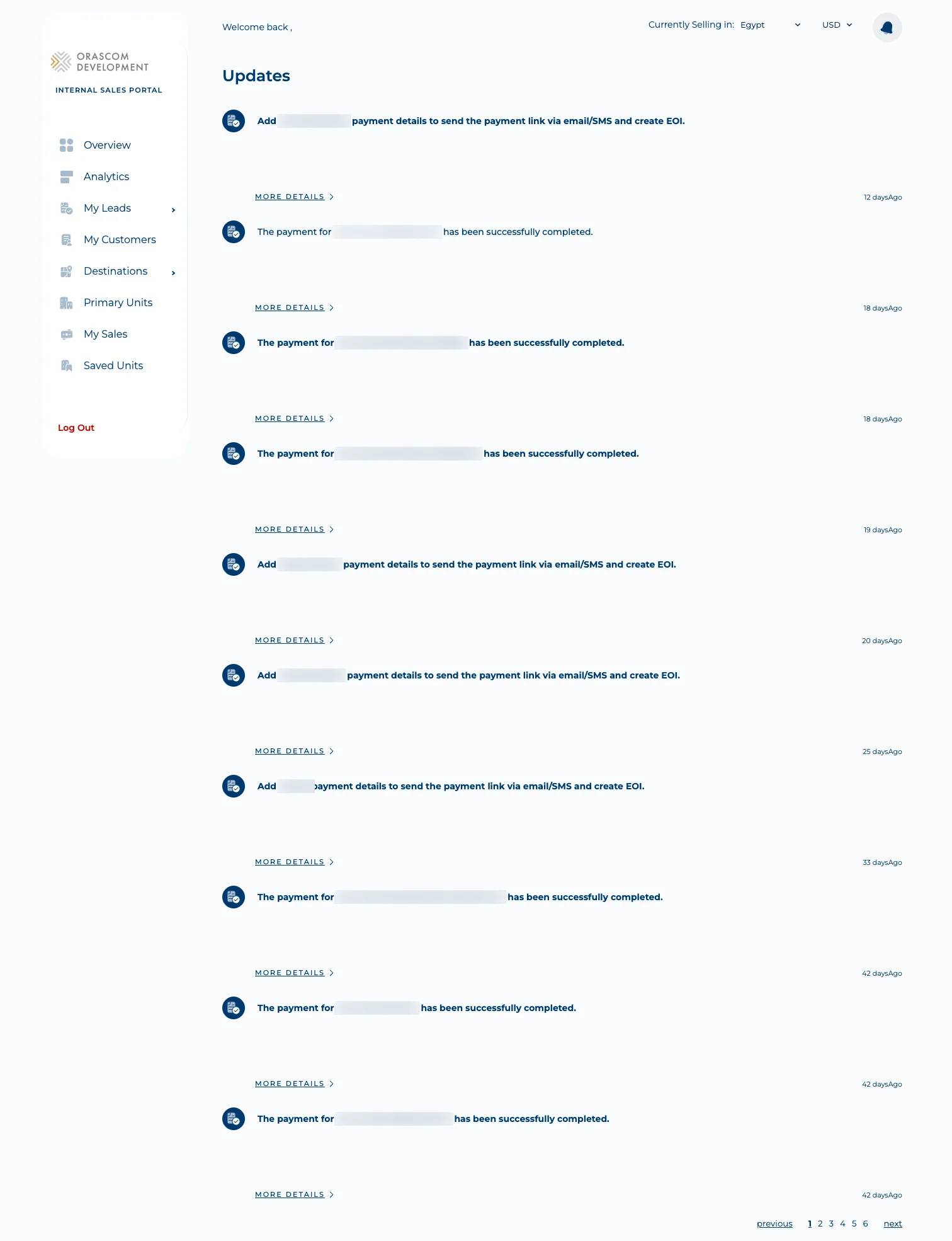
Section titled “Notifications”/notifications (pages/updates) is the recent-updates feed — payment confirmations, “add payment
details” prompts, and EOI updates — from getRecentUpdates (GET {prefix}/user/notifications).
Auth & gotchas
Section titled “Auth & gotchas”- Microsoft SSO only. No password/OTP. The token comes back as a
?token=query param and is stored inlocalStorage[NX_SALESMAN_ACCESS_TOKEN_KEY]; every request sendsAuthorization: Bearer <token>(network.ts:140-149). No refresh token, no 401-retry interceptor — an expired token bounces to/login. - Country scoping is everywhere. The top-bar “Currently Selling in” selector
(
CountrySelectedContext) and the:countryIdin lead/customer/pipeline routes mean the same agent works multiple country orgs; passing the wrongcountryIdtargets the wrong Dynamics org. - Walkthrough routes are flag-gated.
/unit-details/walkthroughand/leads/walkthrough/pipelines/1redirect to home unlessWALKTHROUGH_LOCALSTORAGE_KEYis set — trigger the guided tour before expecting them to render. - React Query is used here (unlike the Shopper-Analytics app), so list/detail data is cached and deduped.