
The Broker app
The Broker app (apps/orascom-broker-app) is the portal for external brokers who sell ODH
units on commission. Its defining quirk: one build serves two personas — a role=BROKER group
and a role=SALES_MANAGER group — and which one you get is decided at login.
The app at a glance
Section titled “The app at a glance”- Entry:
src/main.tsxwraps<App>inHelmetProvider→I18nextProvider→QueryClientProvider(React Query) →ProSidebarProvider(+ Sentry).src/app/app.tsxprovidesUSER_CONTEXT→CompareUnits→Currency(app.tsx:41). - Router:
basename = process.env.NX_BROKER_PATH ?? '/'(routes.tsx:338). - 38 routes / screens: 8 auth/onboarding + 27 broker + 3 sales-manager.
- API: one
ENDPOINTSmap with two prefixes — broker (call it{b}) and sales-manager ({sm}) — over base hostNX__BROKER_API_ENDPOINT; a few auth paths are prefix-less absolute.
Sign-in — email + password
Section titled “Sign-in — email + password”Login is email + password for both roles (pages/login, Authentication.login →
POST {baseHost}/login). On success the token is written to
localStorage[NX_BROKER_ACCESS_TOKEN_KEY]; BROKER lands on /, SALES_MANAGER on
/commissions-analytics. OTP is used only for Oman onboarding, never for standard login. There is
no refresh token — userDataLoader drops the token and redirects to /login on failure.
Dashboard
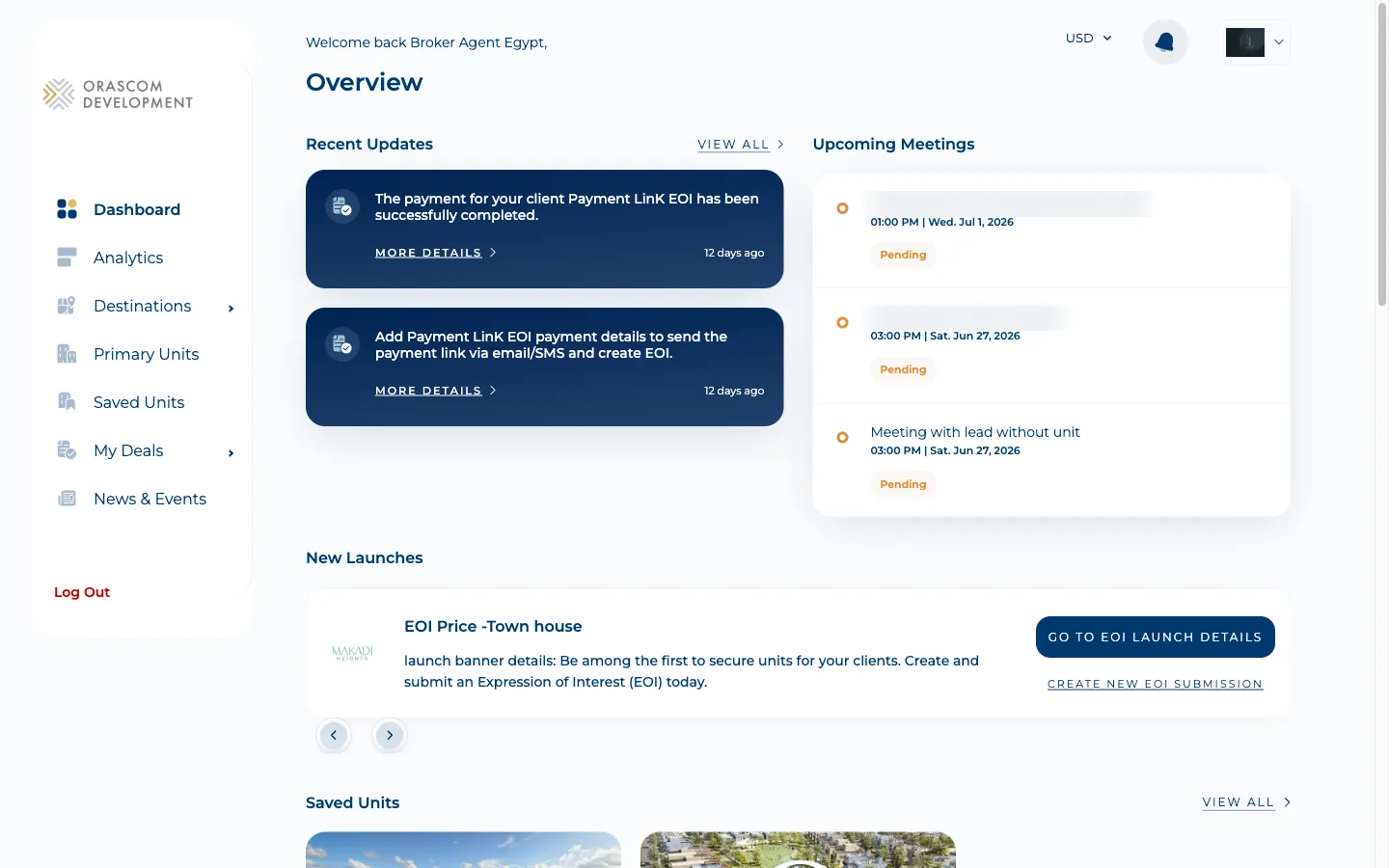
Section titled “Dashboard”The broker home: recent updates, new launches, and shortcuts into units and EOIs. pages/dashboard.
The deal pipeline — lead → meeting → invoice
Section titled “The deal pipeline — lead → meeting → invoice”A broker’s core job is registering leads and driving them to a sale that earns commission.
-
Register a deal.
/new-deal(or/unit-details/:unitId/new-dealto pre-link a unit) creates a lead viacreateLead(POST {b}/leads). Alead-creation-limit-modalenforces the per-broker, per-destination cap (leadCreationLimit→{b}/leads/count).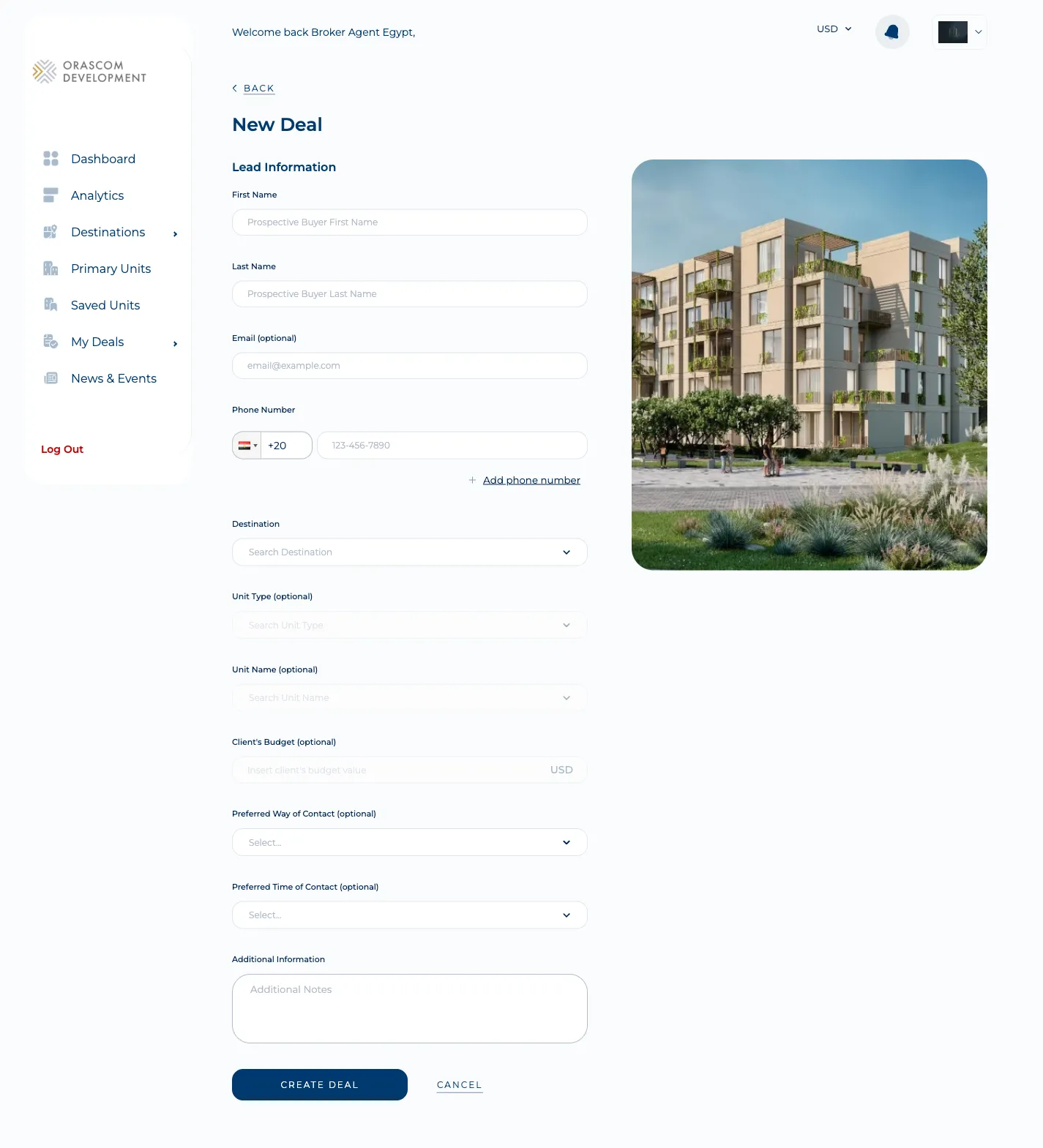
-
Work the deal.
/my-dealslists the broker’s deals;/deal-details/:dealId/:countryId/…(pages/deal-details) shows the lifecycle, scheduled meetings (/new-meeting→createMeeting), and the sales invoice.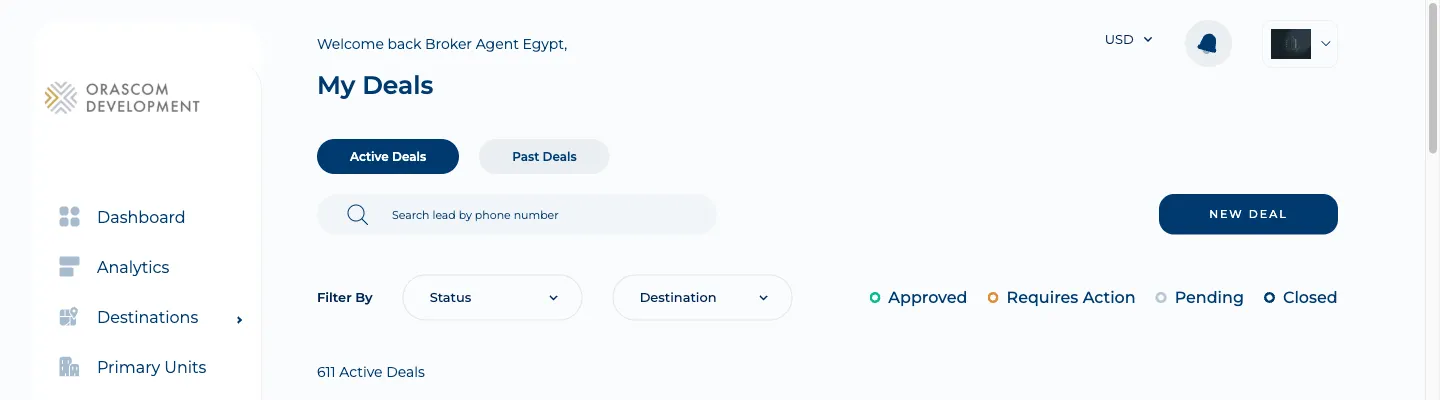
-
Submit the commission invoice. From a deal,
submitInvoice(POST .../{dealId}/sales_invoices) files the sales invoice that drives the broker’s commission.
EOI workflow
Section titled “EOI workflow”Brokers also submit paid Expressions of Interest against launches on a client’s behalf. The full agent-side flow — the async CRM job and the 24-hour tokenized payment link — is documented in Submitting an EOI. In the app it spans three screens:
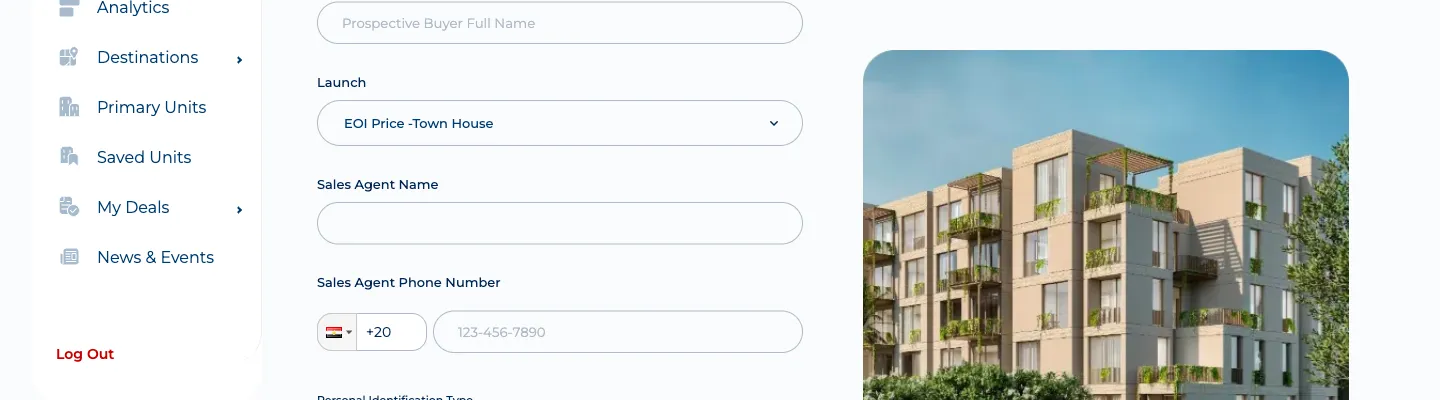
Create (/eoi/create/:launchSlug, pages/create-eoi):
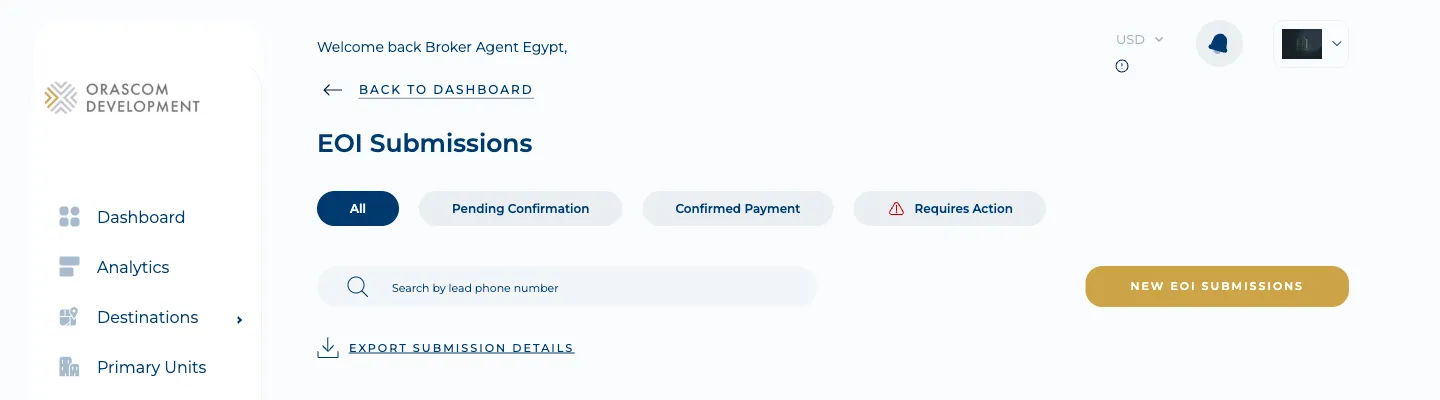
List (/expression-of-interest, pages/eoi-listing) — filtered by payment status:
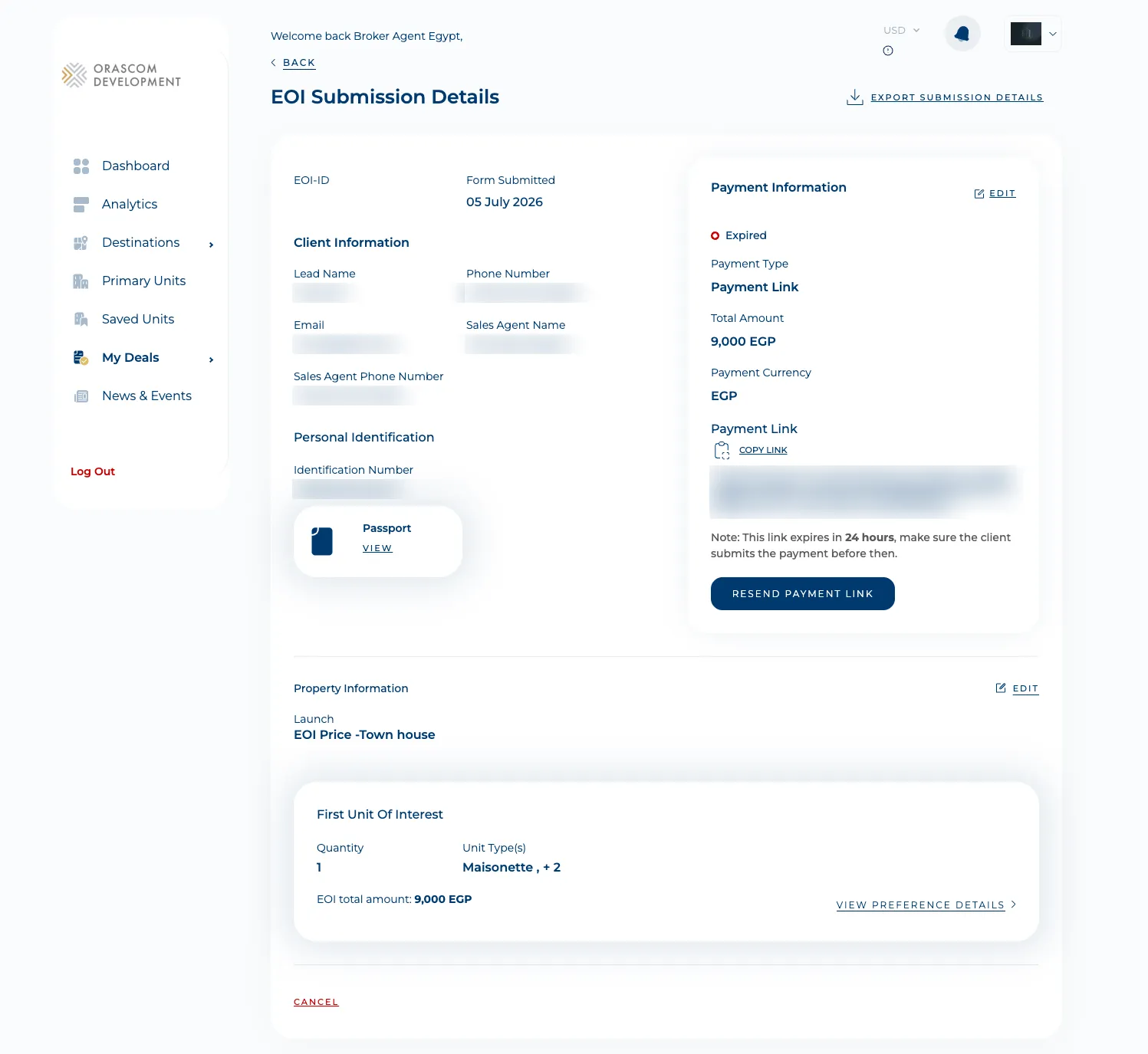
Detail (/expression-of-interest-details/:launchId/:eoiId, pages/eoi-details) — client info,
personal ID, the tokenized payment link (resend/copy), and the units of interest:
Units, launches & the sales offer
Section titled “Units, launches & the sales offer”Brokers browse the sellable inventory and generate sales offers for clients (api/unit.ts).
-
Primary Units (
/primary-units) — the listing/search grid.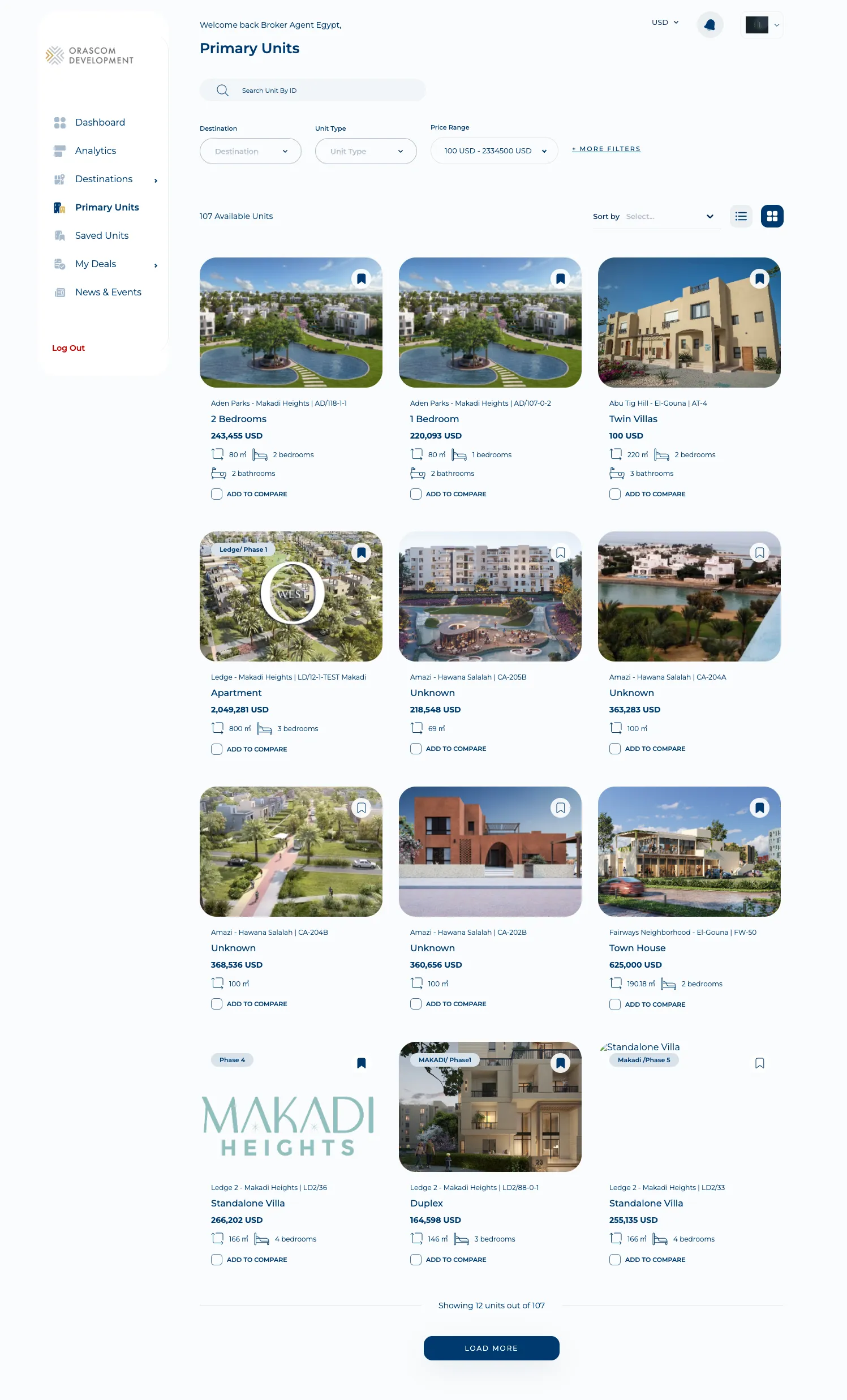
-
Launch details (
/launch-details/:launchId) — the launch a broker sells into.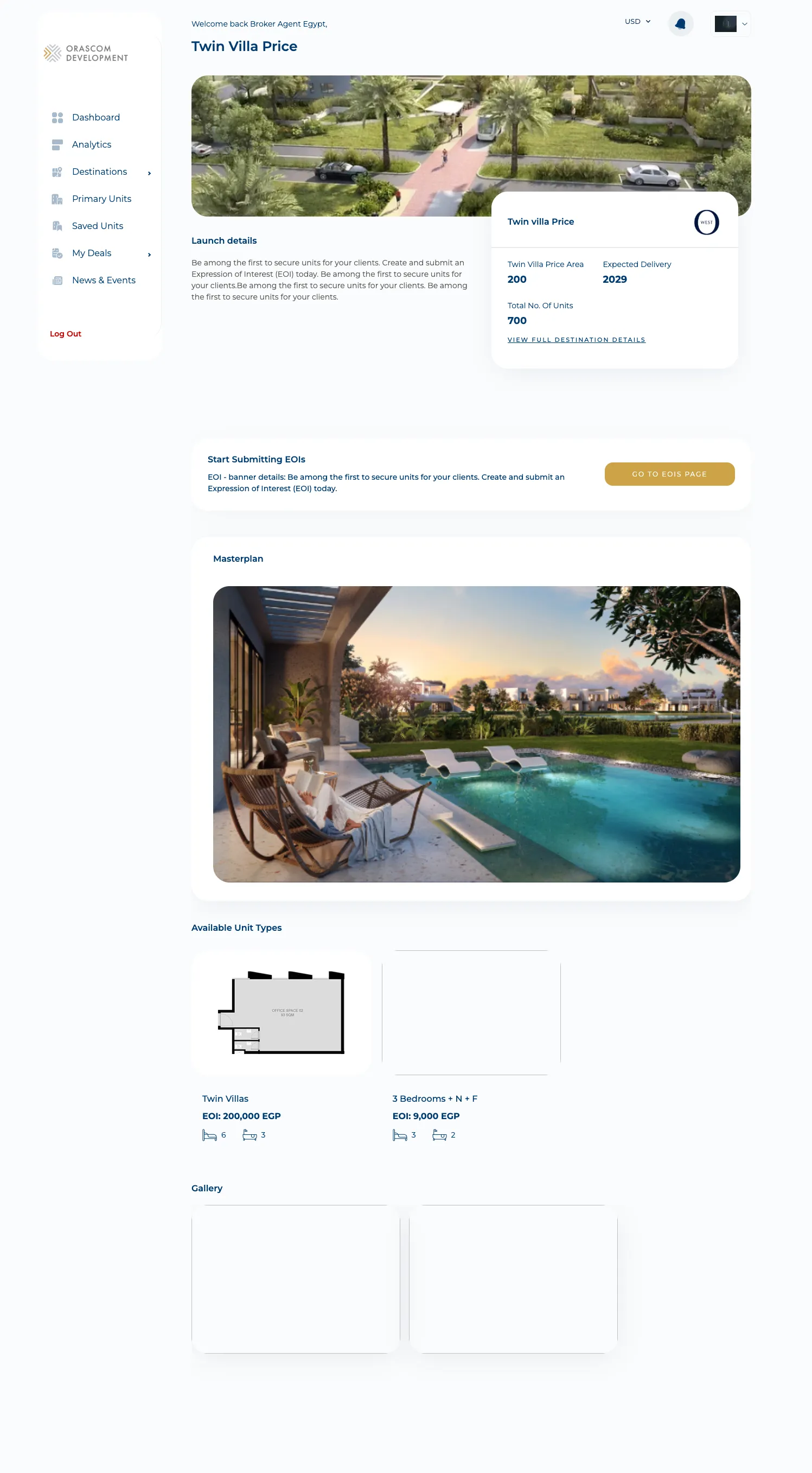
-
Unit details (
/unit-details/:unitId) — payment terms, an async sales-offer PDF (generateSalesOfferAsync→ pollcheckSalesOfferStatus), and a share-reservation link. Plus Saved Units (/saved-units), Resale Units (/resale-units), and Compare (/compare-properties, with CSV export).
Broker analytics — commissions
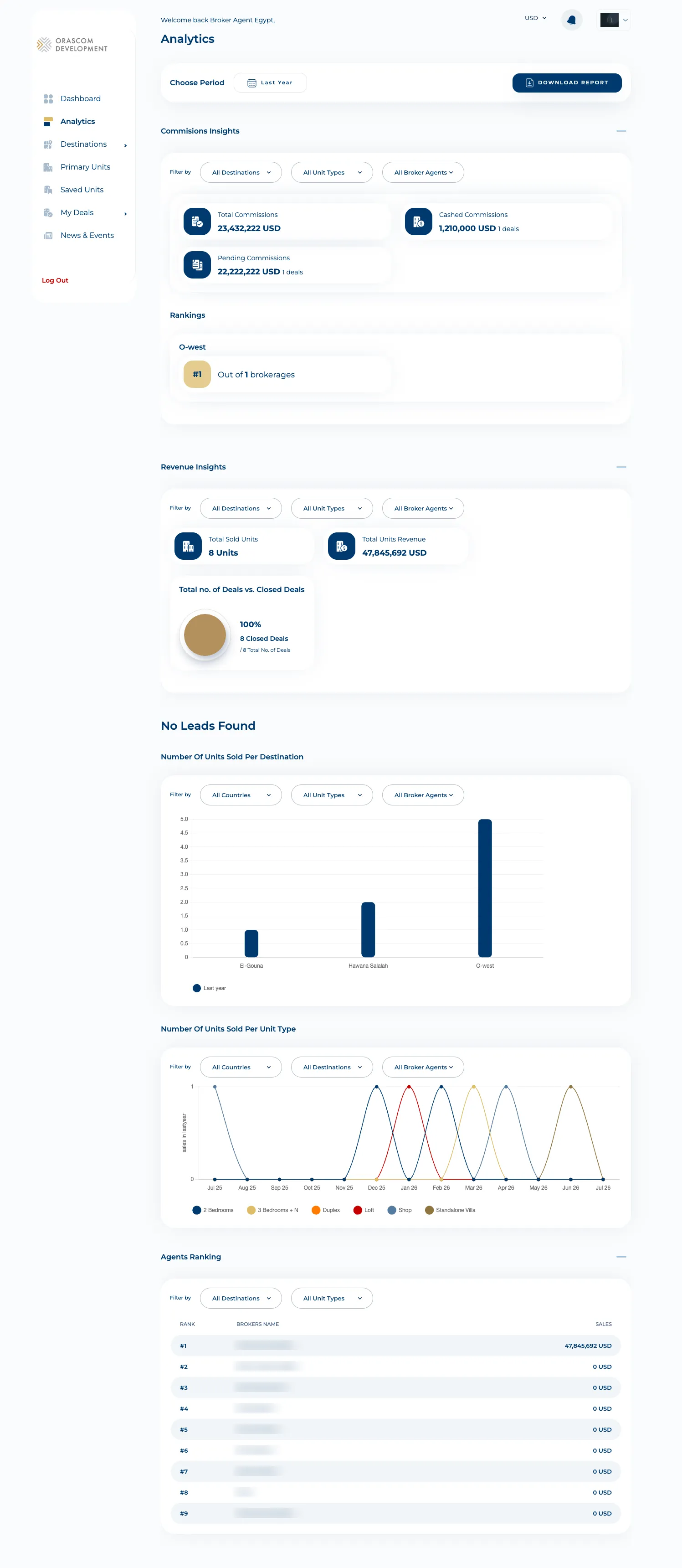
Section titled “Broker analytics — commissions”/analytics (pages/broker-analytics) is the broker’s own performance view: lead lifecycle counts,
sales per destination/unit-type, commissions, revenue insights, and an agents/commissions/company
ranking.
The Sales-Manager role
Section titled “The Sales-Manager role”The same build, entered by a SALES_MANAGER user, exposes three manager dashboards under the {sm}
prefix (pages/sales-manager-*, api/analytics-sales-manager.ts):
/commissions-analytics— the SM landing: broker commissions breakdown + details./revenue-analytics— revenue insights, sales per destination, international sales./rankings— broker / brokerage / sales-manager rankings.
Oman broker onboarding
Section titled “Oman broker onboarding”Oman has a distinct, multi-step pre-registration an ordinary broker signup doesn’t:
/sign-up-oman/:brokerType (ambassador vs firm), email-OTP verification, company details, and
document + contract upload, tracked at /application-status
(api/oman-registration.ts, {b}/oman-pre-registration-applications/…). After approval, ongoing
documents are managed at /my-registration-documents (api/oman-application.ts). The reviewer side
lives in the CMS — see Oman broker pre-registration.
Notifications
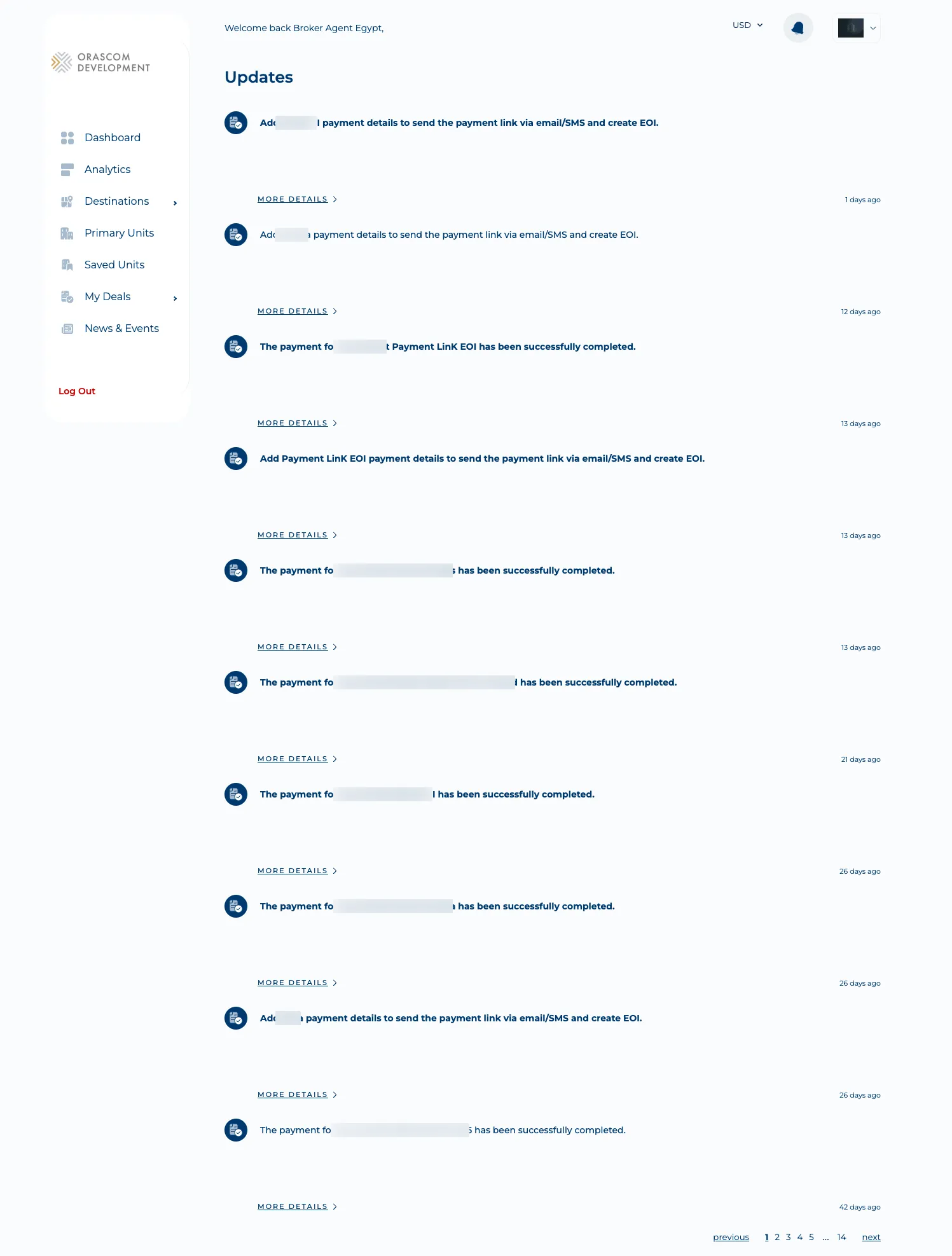
Section titled “Notifications”/notifications (pages/updates) — the recent-updates feed (getRecentUpdates →
GET {b}/user/notifications).
Auth & gotchas
Section titled “Auth & gotchas”- Dual-role build. BROKER vs SALES_MANAGER are separate route groups with different API prefixes;
getHomePathForRoledecides the landing page. Don’t put a broker behavior on a sales-manager route. - Two API prefixes in one map.
{b}(NX__BROKER_ENDPOINT_PREFIX) and{sm}(NX__SALES_MANAGER_ENDPOINT_PREFIX), plus a few prefix-less absolute auth paths. - Email+password login; OTP is onboarding-only. No refresh token.
- Whitelabel branding. Brokers can upload a logo (
uploadWhitelabelLogo+change-logo-modal) for a branded portal. - Walkthrough routes are flag-gated (
/unit-details/walkthrough,/deal-details/walkthrough/…) behindWALKTHROUGH_LOCALSTORAGE_KEY.